Activate your license
Quick Start
1. Purchase & Get Your License
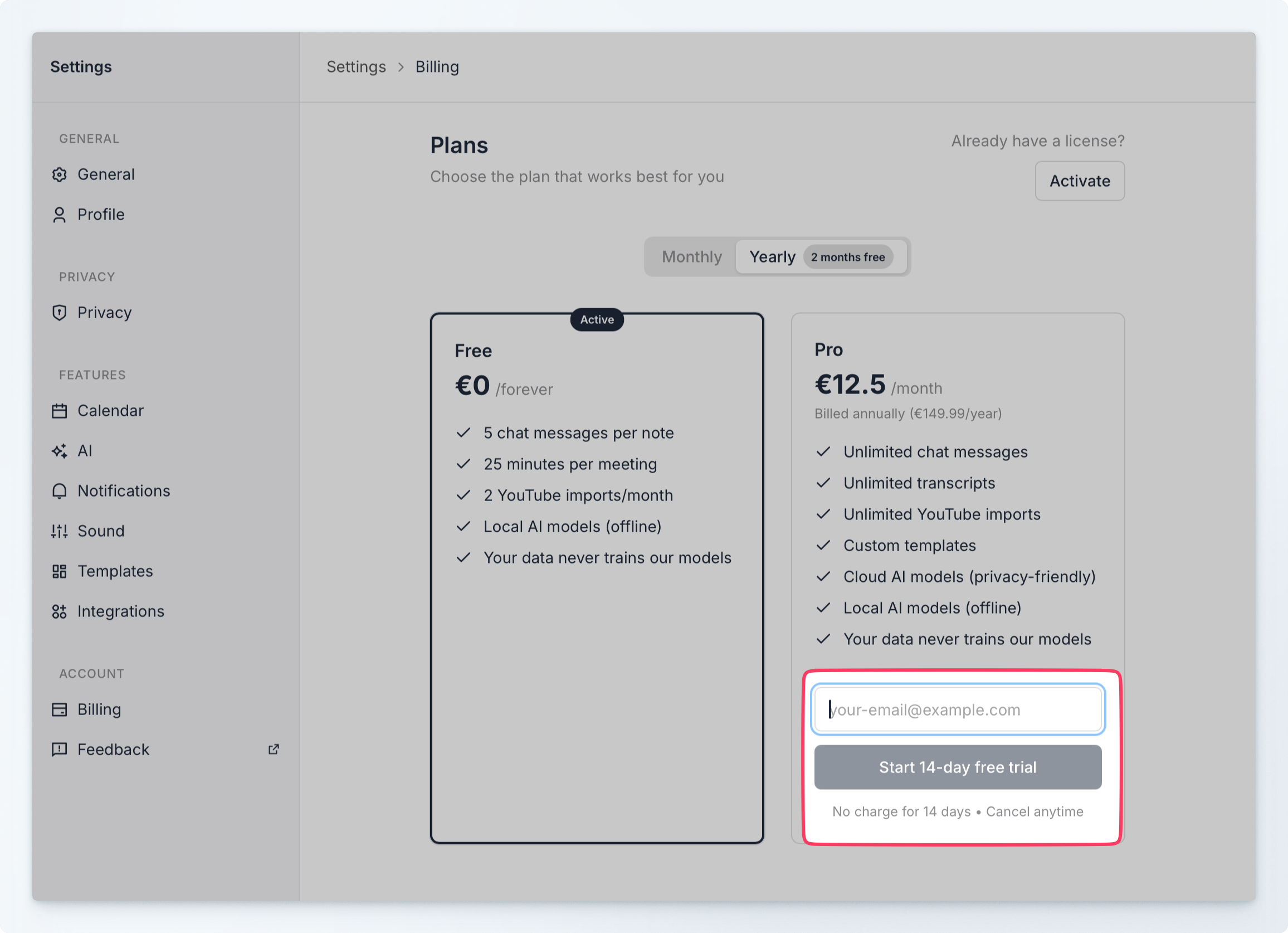
- Open Typr → Settings → Billing
- Add your email and click to activate your 14 days free
- You'll be taken to the billing platform, Stripe, where you'll add your payment details
- Complete checkout
- Check your email for the license key (arrives in ~1 minute)
Continue reading to see how to activate your license.
Can't find the email?
Check your spam folder and wait 2-3 minutes. Still missing? Contact support via chat on typrapp.com.
2. Activate License
Two ways to activate:
Option A: Settings → Billing
- Settings → Billing → "Have a license? Activate"
- Paste your license key
- Click Activate
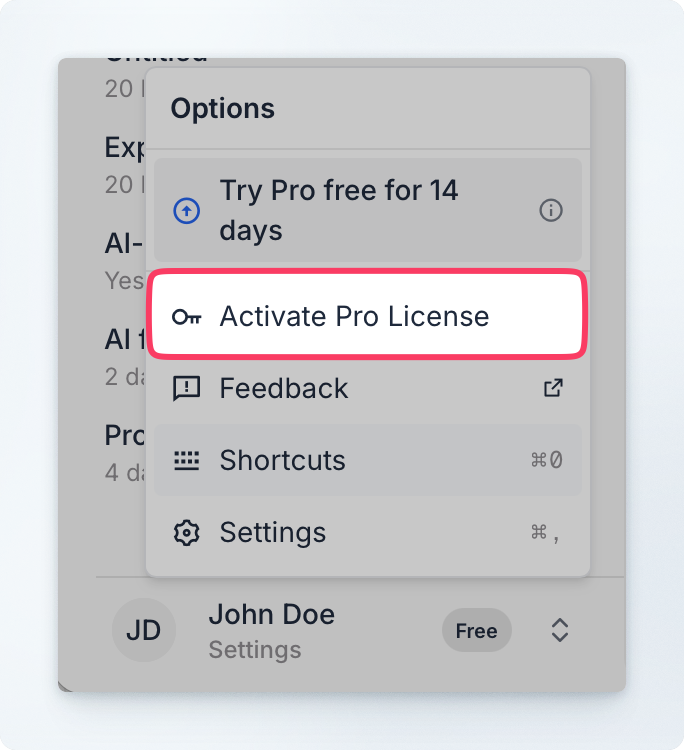
Option B: Settings → Activate Pro
- Settings → "Activate Pro License"
- Paste your license key
- Click Activate

That's it! ✅ You're now on Pro.
What You Get with Pro
- ✅ Unlimited meeting length (no 25-minute limit)
- ✅ Unlimited AI chat interactions
- ✅ Custom templates
- ✅ Priority support
€14.99/month or €12.42/month (annual - save 17%)
14-Day Free Trial
New users get a 14-day free trial. No credit card required.
Common Issues
License key not working?
- Copy the entire key (no extra spaces)
- Restart Typr and try again
- Contact support with your order details
No email received?
- Check spam/junk folder
- Wait 5 minutes
- Contact support with your order confirmation
Already used license?
Each license works on 2 devices. Deactivate an old device first, then activate on your new one.
Managing Your Subscription
Cancel Anytime
Settings → Billing → "Cancel Subscription"
Pro features stay active until your billing period ends.
Need a Refund?
Contact us via chat on typrapp.com with your order details.
Using on Multiple Devices
One license works on 2 devices simultaneously. Just use the same license key on both.
Need Help?
- 💬 Live Chat: typrapp.com (fastest response)
- 📧 Email: support@typrapp.com
We typically respond within 1 hour during business hours.